
Hidden video camera (free)5.1.0 - Get APK
You'll be able to download in few seconds.
Publisher Description
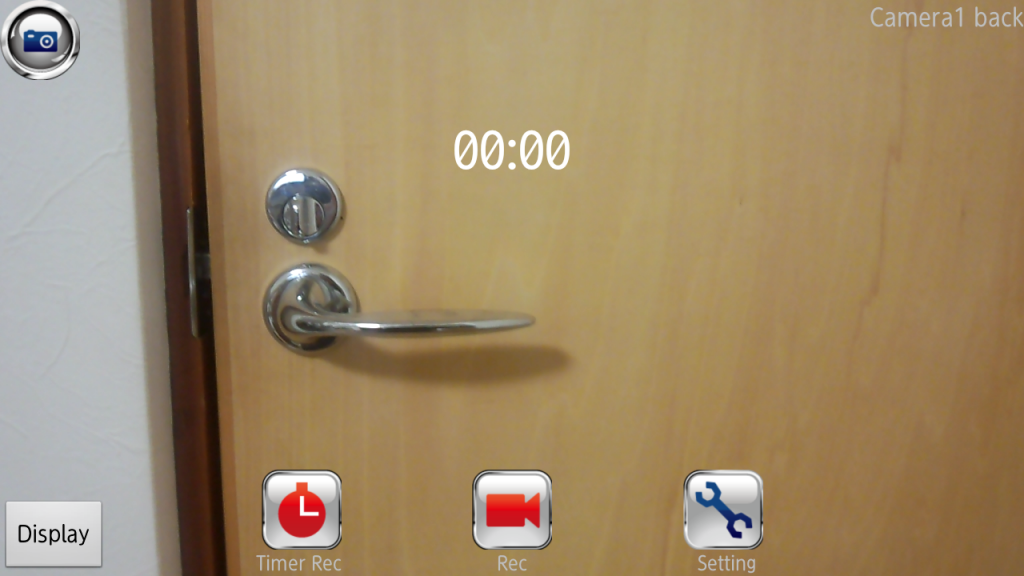
It is an application that was created for the purpose of crime prevention measures, such as a stalker.
Main functions
Video filming without preview display (lights off, picture images and perusal through browser is possible)
Starting/ending of video filming with timer setup
Silent video/photograph filming (not available for some of the models)
※SD card is requisite for recording
◆Access right permission to below items will be requested during installation of the application.
※ Be assured that this is not an action that would acquire personal information.
Storage: Saving of filmed video/photograph to SD card
System tool: power management of device and disabling of key lock
Hardware control: control relating to camera
[List of functions]
★Video filming
① Recording
Films video.
② Timer recording
Starts filming video at specified time. Specification of filming time is also possible.
③ Setting
Camera setting
Selection of camera – if owns multiple cameras, select the camera to film
Recording size – select preferred size that is supported by the device
Image quality – select image quality (default or high quality)
Filming option
Scenery setting –select suitable filming scenery setting, such as “night portrait” or “quick moving subject like sports”
White balance – select white balance suited for the situation such as “cloudy day” or “twilight before sunrise or after sunset”
Color effect – select coloring effect such as “monochrome” or “sepia”
Camouflage setting
Camouflage image – by superimposing registered pictures, camera preview is hidden.
Change/addition of registered image – changes/adds camouflage image
Default permeability – sets the level of permeability of image right after camouflage image is setup. The permeability can be changed either before or during filming by slide touching the screen.
Other settings
Alarm sound at filming – silent function. Turning on or off the alarm sound at video filming (mainly for Smartphone manufactured overseas or with those that obtained root privileges. Depending on the manufacturing country of the device or product standard of distribution country, this may not function)
Communication during filming – switching on/off communication during video filming (by switching to airplane mode, prevents forced discontinuation of filming from calls and such during filming)
④ Playback
Playbacks the filmed video.
★ Photographing
① Photographing
Takes photographs silently
② Setting
It is the same as video filming. There is no “Other settings”.
On free version, video filming time is limited to 15 seconds.
※Filmed video will be stored within external SD card, in folder /video/.
About Hidden video camera (free)
The company that develops Hidden video camera (free) is TK2013. The latest version released by its developer is 5.1.0.
To install Hidden video camera (free) on your Android device, just click the green Continue To App button above to start the installation process. The app is listed on our website since 2016-09-09 and was downloaded 0 times. We have already checked if the download link is safe, however for your own protection we recommend that you scan the downloaded app with your antivirus. Your antivirus may detect the Hidden video camera (free) as malware as malware if the download link to tk2013.black.screen_cam_free_world is broken.
How to install Hidden video camera (free) on your Android device:
- Click on the Continue To App button on our website. This will redirect you to Google Play.
- Once the Hidden video camera (free) is shown in the Google Play listing of your Android device, you can start its download and installation. Tap on the Install button located below the search bar and to the right of the app icon.
- A pop-up window with the permissions required by Hidden video camera (free) will be shown. Click on Accept to continue the process.
- Hidden video camera (free) will be downloaded onto your device, displaying a progress. Once the download completes, the installation will start and you'll get a notification after the installation is finished.
Program Details
System requirements
Download information
Pricing
Version History
version 5.1.0
posted on 2016-09-09
Disclaimer
External Download
We do not host Hidden video camera (free) on our servers. We did not scan it for viruses, adware, spyware or other type of malware. This app is hosted by Galad and passed their terms and conditions to be listed there. We recommend caution when installing it.
The APK Download link for Hidden video camera (free) is provided to you by apps112.com without any warranties, representations or guarantees of any kind, so access it at your own risk.
If you have questions regarding this particular app contact the publisher directly. For questions about the functionalities of apps112.com contact us.
